operating system offers a built-in screen capture utility.
If you have been using Windows 10 for a while, you might know that the operating system offers a built-in screen capture utility. The screen capture utility of Windows 10 is known as the ‘Snipping tool,’ and it lets you capture screenshots.
Also, for screen recording, Windows 10 offers you an Xbox Game Bar. However, the screen capturing feature of Windows 10 is still not up to the mark as they have limited features. For example, with the Snipping tool, you can’t capture long scrolling screenshots.
So, if you are looking for the best screen capture tool for Windows 10, you need to consider the third-party options. As of now, there are hundreds of screen capture tools available for Windows 10; however, not all of them stand out.
Hence, in this article, we have decided to talk about one of the best screen capture utilities of Windows 10, known as ‘Snagit’. So, let’s explore everything about Snagit for PC.
What is Snagit?
Well, Snagit is an all-in-one screen capture utility available for desktop operating systems. Guess what? With Snagit, you can capture your entire desktop, a region, a window, or a scrolling screen.
With the scrolling screen capture feature, you can take a full-page scrolling screenshot. The screen capture tool of Snagit is capable enough to grab both vertical and horizontal scrolls.
Apart from that, Snagit can even record your screen, webcam feeds, record audios, etc. Overall, Snagit is a full-fledged and handy screen capture utility for Windows 10.
Features of Snagit
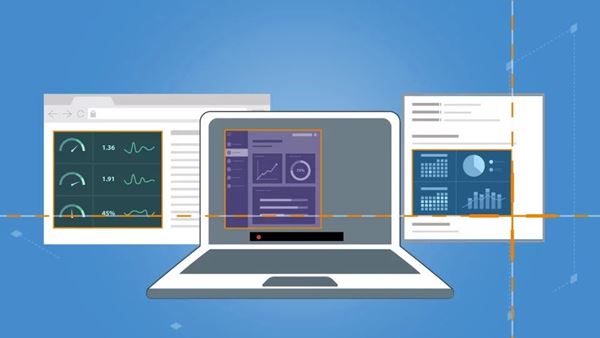
Now that you are well aware of Snagit, you might be interested to know its features. Below, we have highlighted some of the best features of the Snagit screen capture tool. Let’s check out.
Screen Capture
As we all know, Snagit is an all-in-one screen capture utility that provides you multiple options to capture any screen. For instance, you can use Snagit to capture your entire desktop, a region, a window, or a scrolling screen.
Scrolling Screen Capture
Want to capture the entire webpage? If yes, you need to give Snagit a try. With the Scrolling screen capture, you can take full-page, scrolling screenshots. Not only that, but Snagit also grabs both vertical and horizontal scrolls in the scrolling screen capture.
Extract Text
Snagit also has a feature that allows you to extract the text from screen capture. That means you can easily extract the text from a screen capture and paste it into any other document for edits. This is one of the most helpful features of Snagit.
Annotations
Snagit also offers you a wide range of markup tools. With the markup tools, you can quickly annotate screen captures. Not only that, but it even allows you to add professionalism to your screenshots with a variety of pre-made templates.
Screen Recorder
Apart from capturing screenshots, Snagit can also do screen recording. With Snagit’s screen recorder, you can quickly record yourself working through steps. You can even record your webcam with audio.
So, these are some of the best features of Snagit for PC. In addition, it has more features that you can explore while using the program on your PC.
Download Snagit for PC Offline Installer
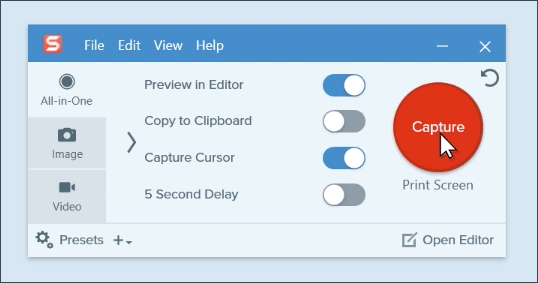
Now that you are fully aware of Snagit, you might want to install the program on your PC. However, before downloading the program, please note that Snagit has three plans. The base plan is free to download and use until the trial ends.
After the trial ends, you need to pay a one-time fee. The free version of Snagit doesn’t need a credit card, but it needs an account creation. Another thing you should note is that Snagit’s free version has limited features.
Below, we have shared the download links of the latest Snagit for Windows and Mac Offline Installer. All of these download files are safe to download.
How to Install Snagit on PC?

Well, it’s pretty easy to download & install Snagit on PC. Snagit is available for both Windows and Mac computers. So, first, you need to download the installer file for the operating system you are using.
Once downloaded, open Snagit’s offline installer file and follow the on-screen displayed on the Installation Wizard.
Once installed, launch the Snagit app on your PC and enjoy the screen capture features. If you want to unlock all features of Snagit, you need to purchase the premium version of Snagit.
So, this guide is all about download Snagit for PC offline installer. I hope this article helped you! Please share it with your friends also. If you have any doubts related to this, let us know in the comment box below.


Comments
Post a Comment